New Features in Papers: Handwriting and Text Annotations Now Available in Latest Nightly Builds!
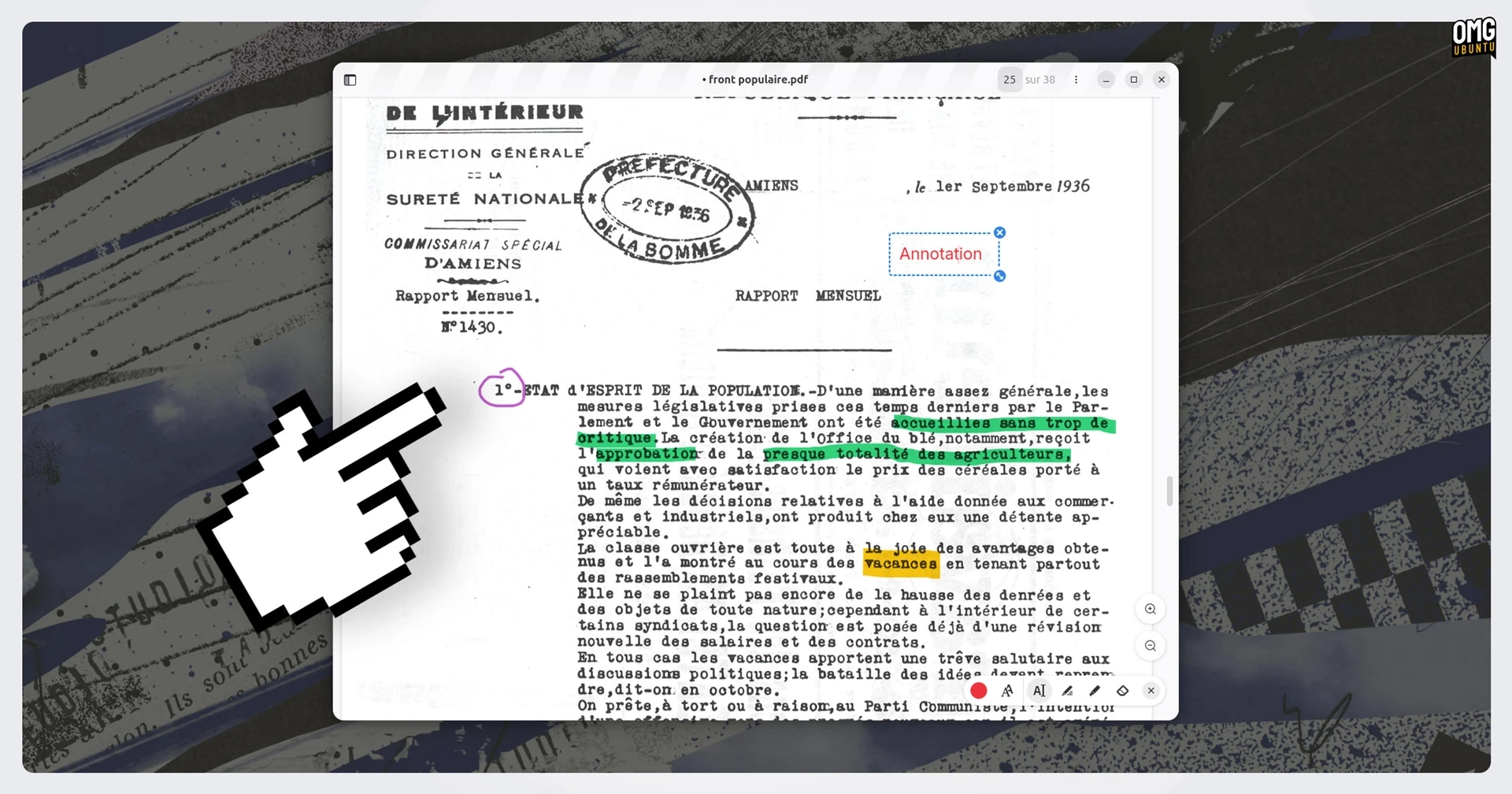
Handwriting and markup features have been introduced in Papers, the GNOME document viewer app that also serves as Ubuntu’s document viewer since version 25.04. The latest nightly builds allow users to annotate PDF documents using ink tools for drawings, signatures, and the ability to insert text boxes on forms.
Previously, Papers had functionalities such as text highlighting and an annotation sidebar but lacked freeform pen tools and movable text boxes. The addition of these editing tools is a welcome development, eliminating the need for external software for such tasks.
Developer Lucas Baudin spearheaded the integration of PDF annotation tools into Papers. He had originally attempted this feature a decade ago with the GNOME document viewer, Evince, but abandoned the effort. However, he revisited the idea and implemented it, which required significant modifications not only to Papers‘ UI but also to the poppler library, the open-source PDF rendering library that supports the application.
Baudin mentioned that the successful implementation of ink and free text annotations involved collaboration among multiple contributors who contributed to the design, development, and testing processes. Enhancing the accessibility of document forms was also a beneficial outcome of this update.
The decision to fork from Evince into Papers was significant; it allowed for modernizing the codebase and attracting contributors who prefer modern technologies. Forking keeps the original Evince users happy—those who appreciate its style can continue using it alongside Papers without being forced to adapt to new UI changes.
Users can experiment with the new PDF annotation features in the nightly builds available from the GNOME Nightly repo. It is important to note that these builds may be unreliable for critical tasks. These enhancements are expected to be included in the upcoming GNOME 50 release, available in March, which will be shipped as the default desktop for Ubuntu 26.04 LTS in April.
For more information, you can visit the following links: