Introducing Rudra: The Revolutionary Keyboard-Driven Launcher for GNOME Shell
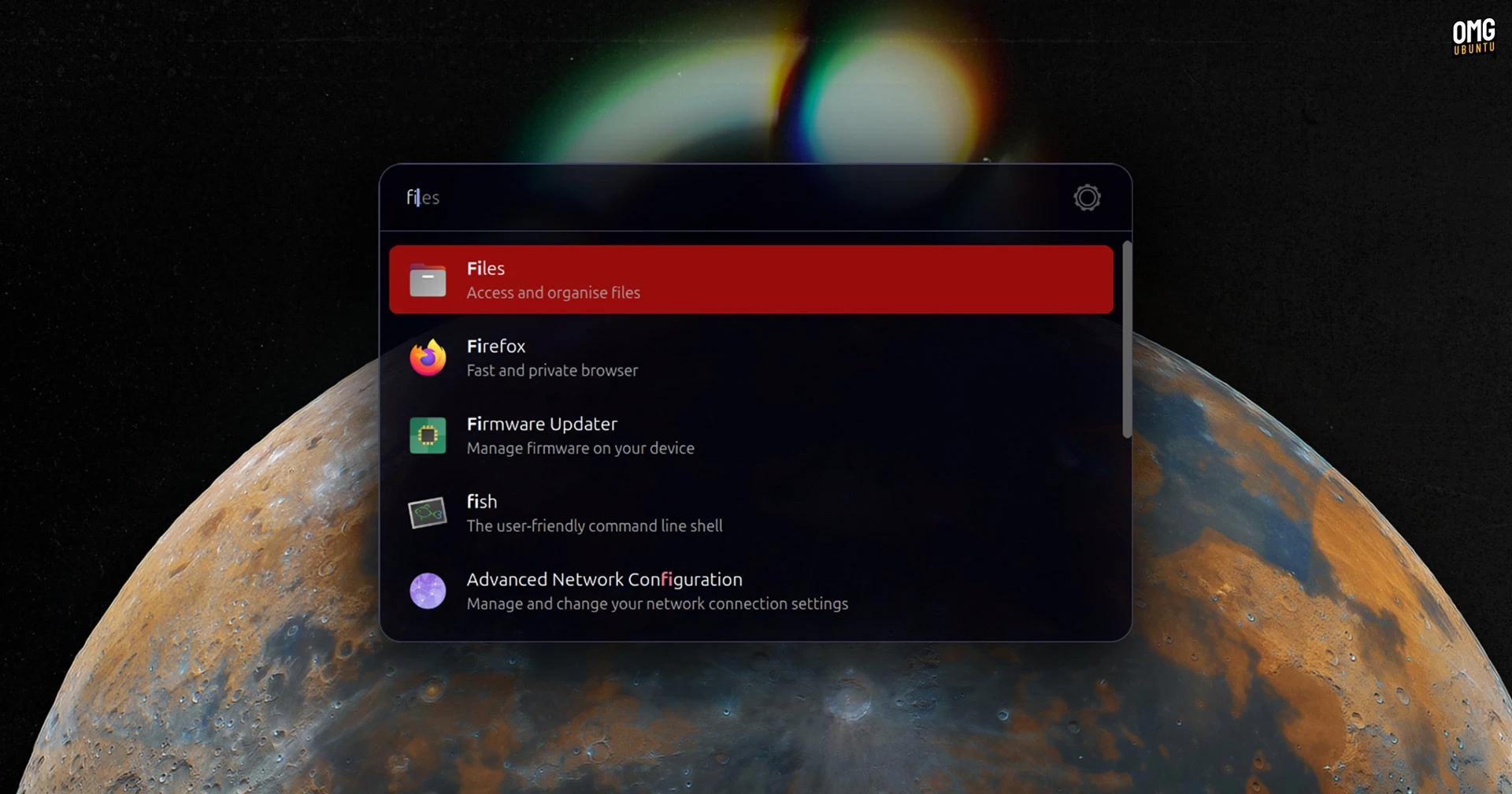
Rudra is a newly introduced keyboard-driven launcher designed for the GNOME Shell, providing a fresh take on the myriad of existing Linux launchers. Developed as a GNOME Shell extension rather than a standalone application, it aims to enhance productivity for power users.
To activate Rudra, users can press Ctrl + Shift + Space, which opens a compact, traditional-style launcher where they can:
- Search and launch installed applications by typing and selecting from suggested results
- Access system settings panels such as ‘display’ or ‘network’
- Locate and open files within the home directory by typing after pressing the ‘.’ key
- Perform web searches on platforms like Google or YouTube by typing
goryt - Execute commands by typing ‘>’ followed by a simple command
Rudra features smart autocomplete, guessing matches based on user input, enabling quicker navigation through suggestions with simple key presses.
Its configuration options are user-friendly, allowing adjustments for font, colors, opacity, and even launcher position on the screen. This makes Rudra a more discreet alternative to the existing full-screen launcher that GNOME Shell offers, resembling a Spotlight-like UI that retains the overall workspace visibility.
Rudra can be downloaded for free as open-source software, and its code is available on GitHub. It supports GNOME versions 45 through 49, but users should ensure the libglib2.0-bin package is installed for it to work properly.
To get started with Rudra, visit the GNOME Extensions website.