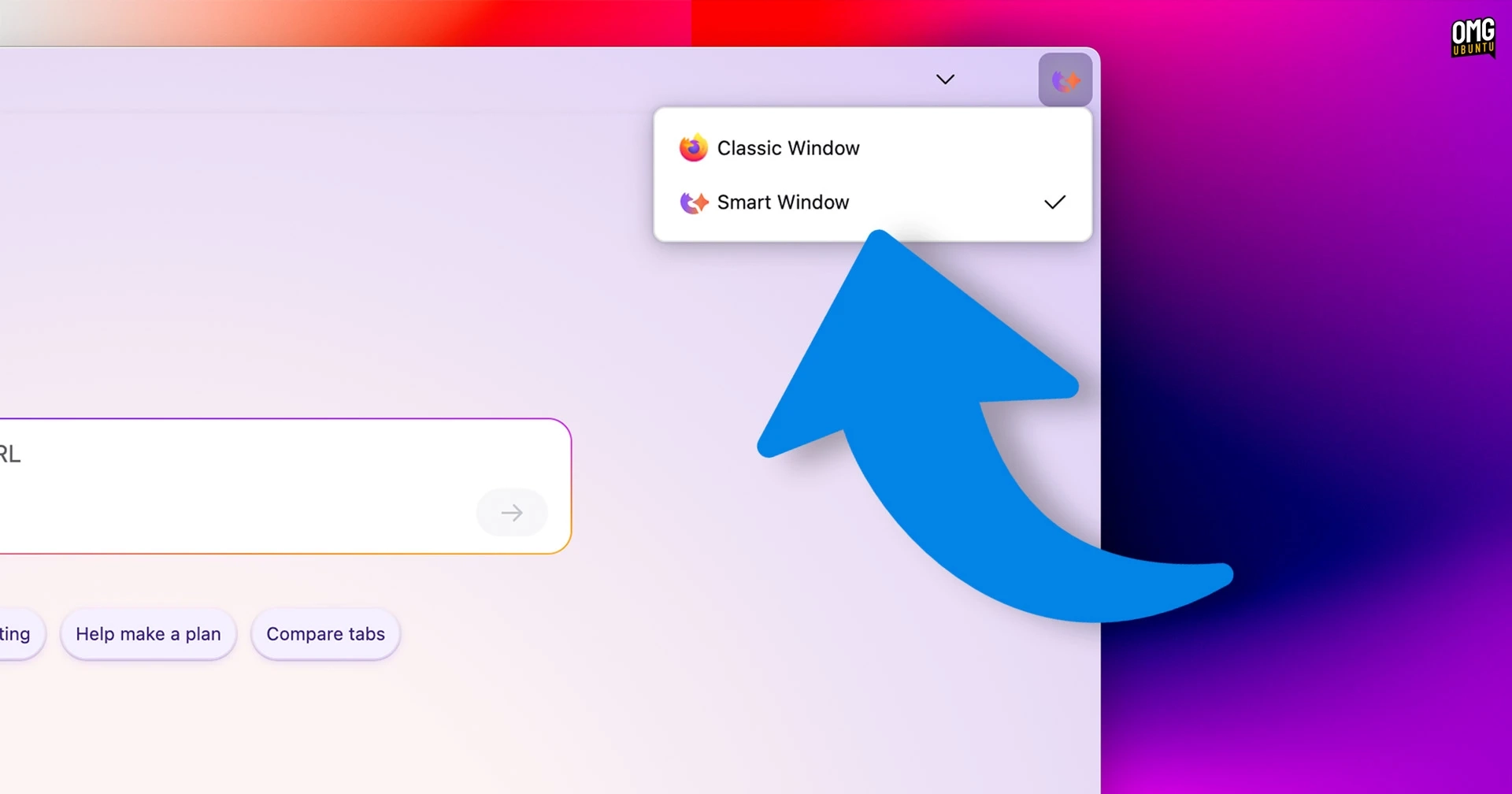
Firefox is currently developing an AI-powered browsing feature called "Smart Window." This initiative aims to integrate artificial intelligence as a primary tool for browsing the web. Although it is still in beta, I had the opportunity to test it in version 149.0b7 on macOS.
Overview of Smart Window
Smart Window can be activated through a button located in the window frame, altering the browser’s color scheme. This new mode resembles aspects of the upcoming Firefox Nova redesign, featuring rounded corners and pastel gradients. While Smart Window aims to create a distinct browsing experience, it still retains common browser elements such as the toolbar, address bar, and extension menu.
Upon first activation, users are prompted to select a model for Smart Window, with options including:
- Fast – Google’s Gemini Flash Lite
- Flexible – Alibaba Cloud’s Qwen3-235B-A22B
- Personal – OpenAI’s GPT-OSS 120B
There is also a provision for users to input their own large language model (LLM), although this option comes with a warning that local models might not function properly.
The design of the new tab page has shifted from offering a search bar and recommended stories to featuring a prompt box for queries, inviting users to "ask, search, or type a URL." Suggested actions are displayed below the prompt.
Browsing Experience
Using Smart Window, users can type queries akin to those directed at LLMs, ranging from meal planning to text proofreading. The AI attempts to generate responses based on the top Google search results, initiating its own searches if further clarification is needed.
Smart Window also offers an AI sidebar that can be toggled at any time when viewing a standard web page. Users can click through to view specific web content and ask questions about it. However, it is essential to note that Smart Window cannot fill forms or interact directly with websites.
Memory Features and Privacy Concerns
One of the more unsettling aspects of the Smart Window is its use of "memories," allowing the AI to learn from previous user activity. While users can manage these memories, I discovered that mine included data from months prior to enabling Smart Window — a revelation I found particularly unsettling. Mozilla acknowledged this misstep and plans to refine the onboarding process to ensure memories are limited only to post-opt-in activity.
Hosting and Integration
In my tests, I also queried each AI model regarding its hosting. Gemini was evasive, while Qwen confirmed it operates on Alibaba Cloud infrastructure, and GPT-OSS stated its operations occur on OpenAI’s servers. This raises potential concerns about data privacy, emphasizing the necessity for transparency regarding where user interactions may lead.
Conclusion
While testing the Smart Window on macOS, I observed that it reflects an effort by Mozilla to adapt to current browsing trends by embedding AI more deeply into user interactions. However, I doubt this feature will significantly change Firefox’s declining market share. Personally, I wouldn’t opt to use AI as my primary browsing interface; I prefer a traditional browsing experience over AI-mediated interactions.
For those interested in the evolution of AI integration in web browsing, Smart Window represents an intriguing yet concerning development in modern web technology.