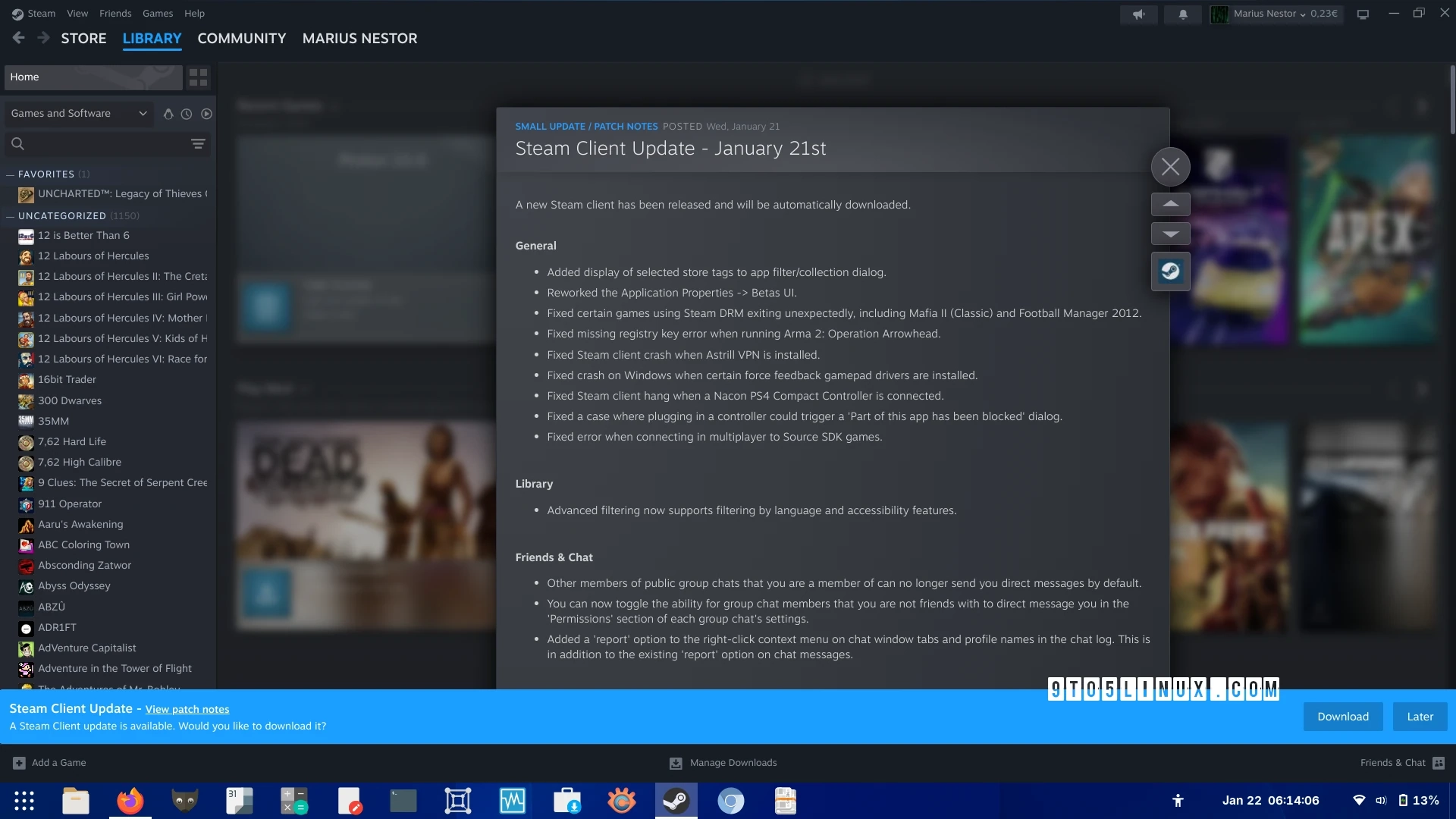
Valve has released a significant update to its Steam Client across Linux, macOS, and Windows platforms, enhancing Steam Input functionality with new controller support. The latest version now includes compatibility for the Razer Raiju V3 Pro controller, a wireless game controller for PS5 and PC, while also reinstating support for the Nintendo Switch 2 wired controller.
This update introduces several new features, including a "Response Axis Style" setting under "Stick Response Curve" in the Joystick Mode settings, and a toggle for the Gyro’s "Smooth Fine Movements" option. Furthermore, a new option has been added that allows for Gyro to Joystick Deflection. When enabled, this feature helps to maintain the center point when the controller is moved beyond its maximum deflection angle. The update also addresses issues related to controller disconnection while using the configurator.
Improvements were made to the Hori Steam Controller when connected via Bluetooth, alongside enhancements to the calibration sliders on the Gyro page and options for Trackpad/Gyro. Additionally, GameCube adapters in Wii-U mode have been disabled by default to prevent conflicts.
The Big Picture Mode sees enhancements as well; glyphs in the footer now update immediately when a new controller connects. There are fixes for library filter selection dialogs related to incorrect controller glyphs.
More updates include support for displaying selected store tags in the app filter dialog, a revamped Application Properties for beta settings, and improved support for games utilizing Steam DRM, notably Mafia II (Classic) and Football Manager 2012. The update continues to enhance multiplayer connections for specific games, including Arma 2: Operation Arrowhead and the Nacon PS4 Compact controller.
Lastly, the Friends & Chat feature has also been upgraded, allowing group chat settings to manage permissions regarding direct messages from non-friends, as well as a new ‘Report’ option for chat interactions.
To install the latest Steam Client update, users can navigate to the Steam menu, select ‘Check for Steam Client Updates,’ and initiate the download process.
For more detailed information, check out the patch notes.