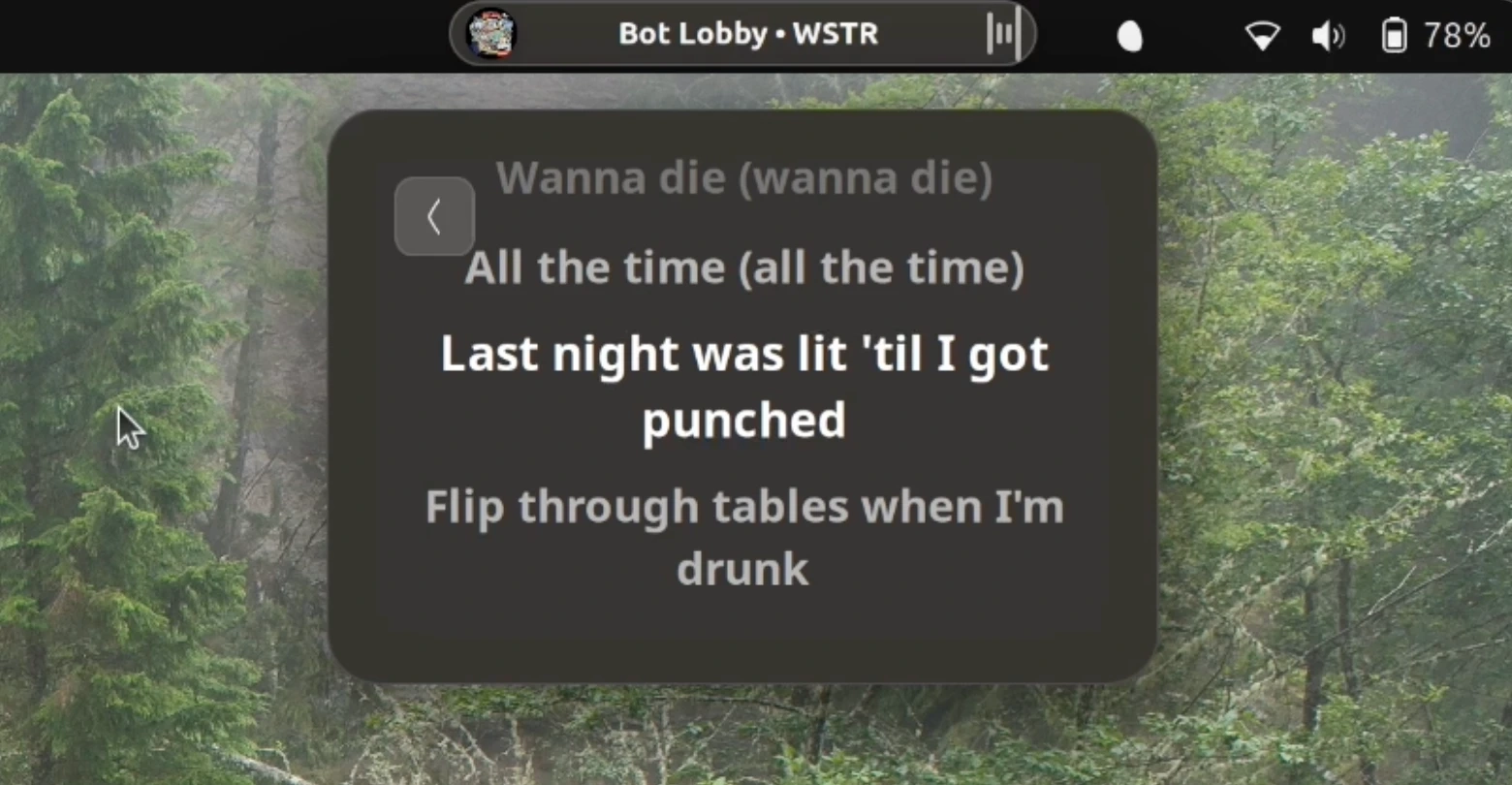
A new update to the Dynamic Music Pill for GNOME Shell introduces exciting features, including synced lyrics support. Users can now view the lyrics while listening to music in compatible players by clicking on the album art in the applet controller. The lyrics display in a scrollable widget, allowing users to follow the currently playing track with enhanced visibility on the active line.
To ensure a seamless experience, there’s also an option to show the lyrics directly in the panel itself, which auto-scrolls in sync with the song. However, this feature isn’t enabled by default, requiring manual activation. Additionally, users can customize how lyrics are displayed and take advantage of tweaks for album title visibility and formatting of long audio durations.
The update enhances the album art loading process by making it fully asynchronous and improving the caching method. Users of Dash to Dock or Ubuntu Dock with auto-hide enabled will no longer see duplicate entries for the pill. They have also added enticing features like color theming and the ability to use Cava for a visual waveform animation alongside the music.
Dynamic Music Pill adds flair and functionality to the GNOME desktop, allowing for an interactive music experience. The extension is compatible with GNOME 45 or later, which includes Ubuntu 24.04 LTS and above, and it works with any music player that supports MPRIS.
You can download Dynamic Music Pill from GNOME Extensions.