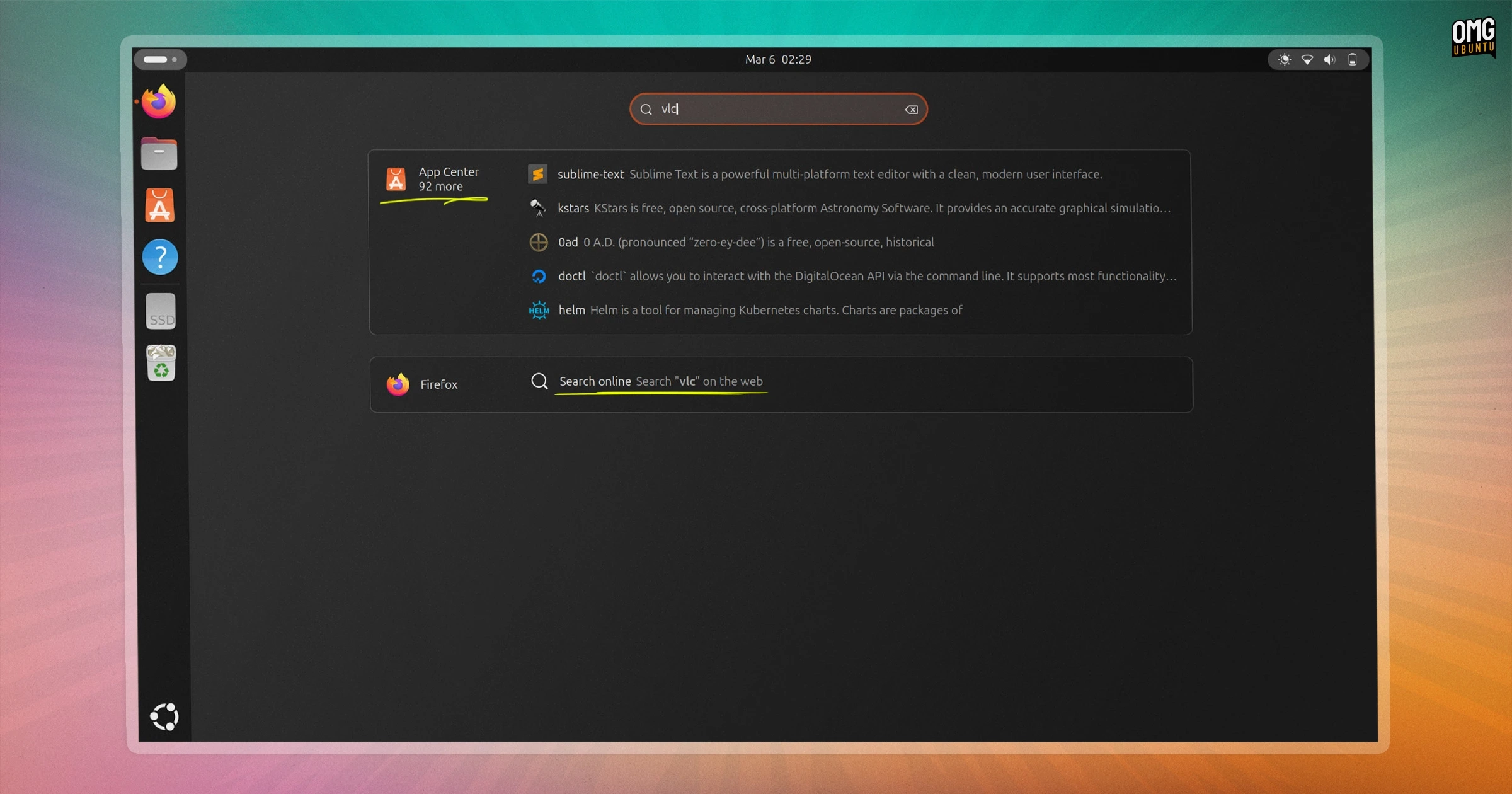
Ubuntu 26.04 LTS has introduced two new extensions that enhance search capabilities in the GNOME Shell Overview. The first is called Web Search Provider, allowing users to initiate a Google search directly from the overview. It’s important to note that search terms entered here are not sent anywhere by default; instead, clicking on the search will launch Firefox (or the default browser) with a pre-filled search query.
This extension is not a repeat of the Shopping Lens incident, where search terms were sent to third parties. Instead, it simply offers a way to quickly open a web search without compromising user privacy.
The second extension, called Snap Search Provider, is designed for app discovery. When users type a term into the overview, it matches the input against software available in the Canonical Snap Store that isn’t currently installed. Results appear in a list with icons and brief descriptions. For example, typing VLC displays matching applications from the Snap Store alongside installed apps. Clicking on a result takes users directly to the App Center for easy installation.
Both extensions rely on the snapd daemon, which acts as an intermediary, ensuring that queries remain local until a result is selected. Users can disable either extension easily if they prefer not to use them.
While the configuration may remind some users of the past Amazon Shopping Lens feature from the Unity days, the new extensions ensure that search queries are handled privately, without any direct data transmission until a user explicitly engages with the results.
These new features are already available in the daily builds of Ubuntu 26.04 LTS for users who want to experiment with the latest changes.