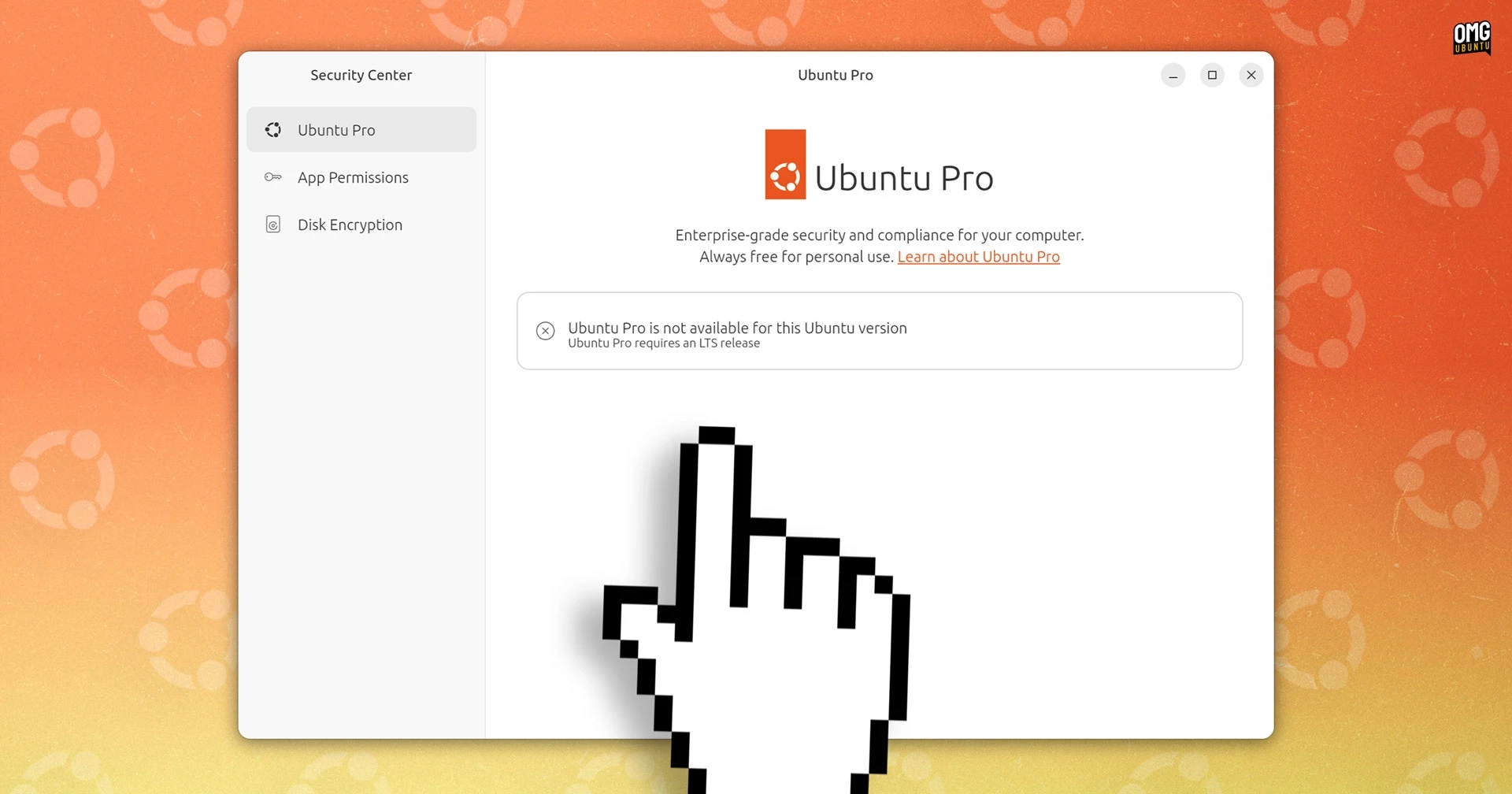
Enabling Ubuntu Pro has become more accessible with the newest edition of Ubuntu’s desktop Security Center app, which now features a specific panel for this purpose. Previously, users had to manage and enroll for Ubuntu Pro using the Software & Updates tool or via the command line.
Since Ubuntu 26.04 LTS will not include the Software & Updates utility by default, the introduction of this graphical interface in the Security Center, launched in Ubuntu 24.10, offers a logical alternative for users needing enhanced security updates for packages in Ubuntu’s repositories.
Despite the addition of this new panel, it’s worth noting that it currently isn’t functioning as intended. Upon accessing the Security Center on a 26.04 LTS development build, users see a message stating, “Ubuntu Pro is not available for this Ubuntu version” since it technically requires an LTS release.
While the new panel appears across all supported Ubuntu versions—being a Snap app that updates automatically—it doesn’t register Ubuntu Pro status correctly yet. Users have reported enrolling successfully via command line, but the Security Center still does not reflect these changes.
This is likely a temporary bug, considering that 26.04 LTS is still unreleased, and it hasn’t been preinstalled in Ubuntu 24.04 LTS. For the moment, users still have access to the Software & Updates tool to manage Ubuntu Pro without entering commands.
With these improvements, along with GUI support for disk encryption settings in future updates, a more user-friendly experience for configuring Ubuntu Pro is forthcoming.
For more information on Ubuntu Pro, visit Ubuntu Pro and for related updates: Ubuntu 26.04 LTS.