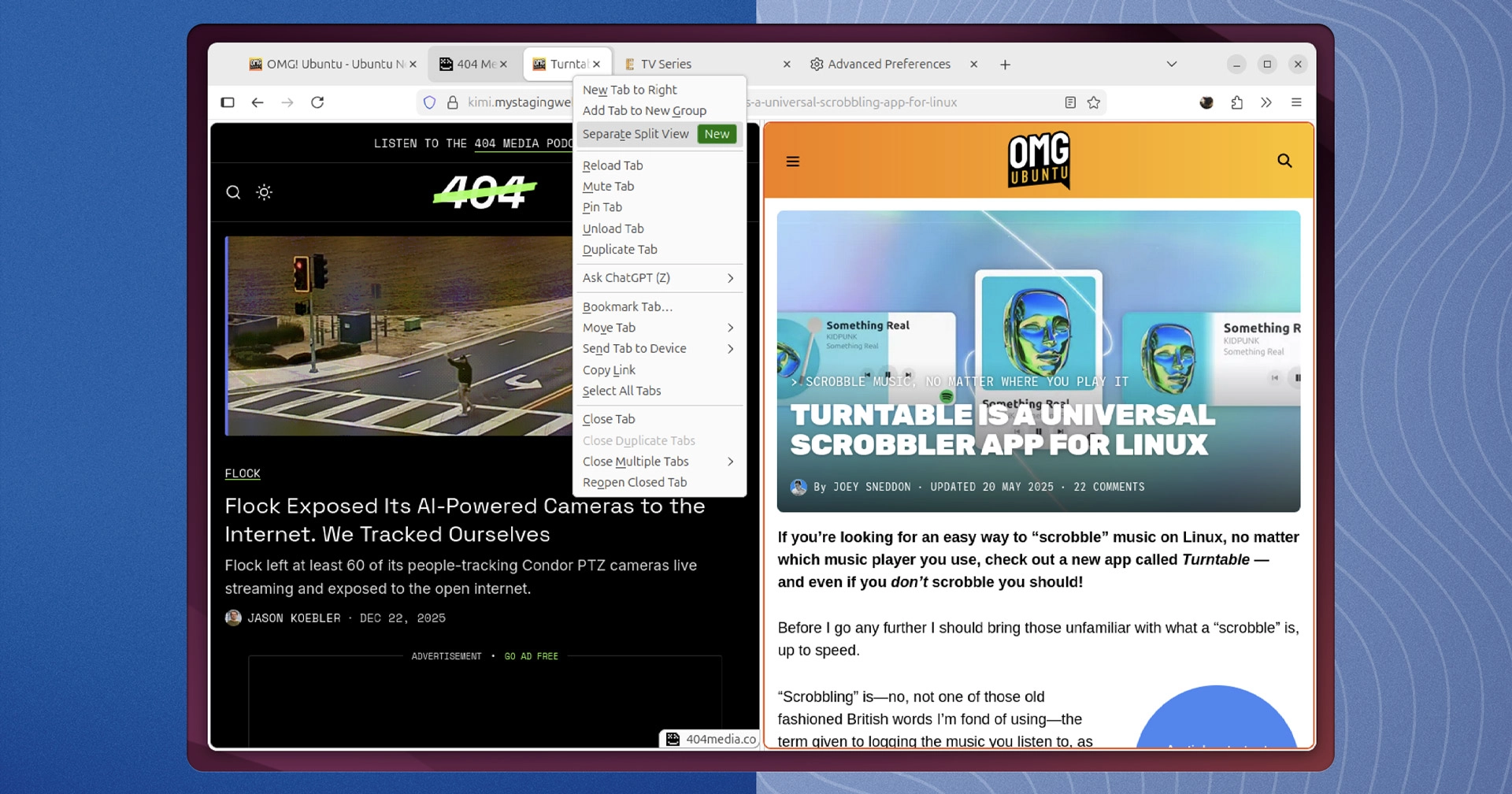
Mozilla is introducing an exciting new feature for Firefox: Split View for tabs, allowing users to browse two different websites side-by-side within a single tab. This feature emerges amidst Mozilla’s broader focus on integrating AI into its browser, but it underscores a commitment to enhancing user experience with practical solutions.
The Split View functionality offers a cleaner alternative to the standard practice of dragging tabs into separate windows, which many users currently use for multitasking. Users can explore this feature in Firefox 146, the latest stable version, although they’ll need to enable it manually as it remains a work in progress.
Enabling Split View in Firefox 146
To activate the Split View feature, follow these simple steps:
- Open Firefox (version 146.0 or later).
- Enter
about:configin the address bar and accept the warning. - Search for
browser.tabs.splitView.enabled. - Double-click the
falsevalue to set it totrue.
No browser restart is necessary after this change. To create a split tab, right-click on any tab and select “Add Split View.” The layout will allow for resizing tabs using a draggable handle.
Currently, Firefox’s implementation of Split View is still being refined, with plans for additional features like a dedicated button in the URL bar to manage the split and a context menu for additional options. This approach seeks to balance functionality with a user-friendly interface.
A Competitive Landscape
Firefox isn’t the only browser venturing into Split View functionality; Google Chrome is also testing a similar feature. Initial impressions suggest Chrome’s version is more polished, indicating that Mozilla may benefit from studying its competitor’s approach.
As Mozilla’s leadership pivots towards AI features, there’s a growing hope that the engineering team will prioritize user-requested features like Split View. This development reflects a broader trend within the web browser market, where innovative tools are being introduced to enhance productivity and user satisfaction.
For more on Firefox and its updates, check out the following links:
This latest update furthers Firefox’s mission of being a versatile and user-focused web browser, making it more appealing for users in a competitive market.