Upcoming Fix for GNOME Sushi Spacebar Preview in Ubuntu 26.04
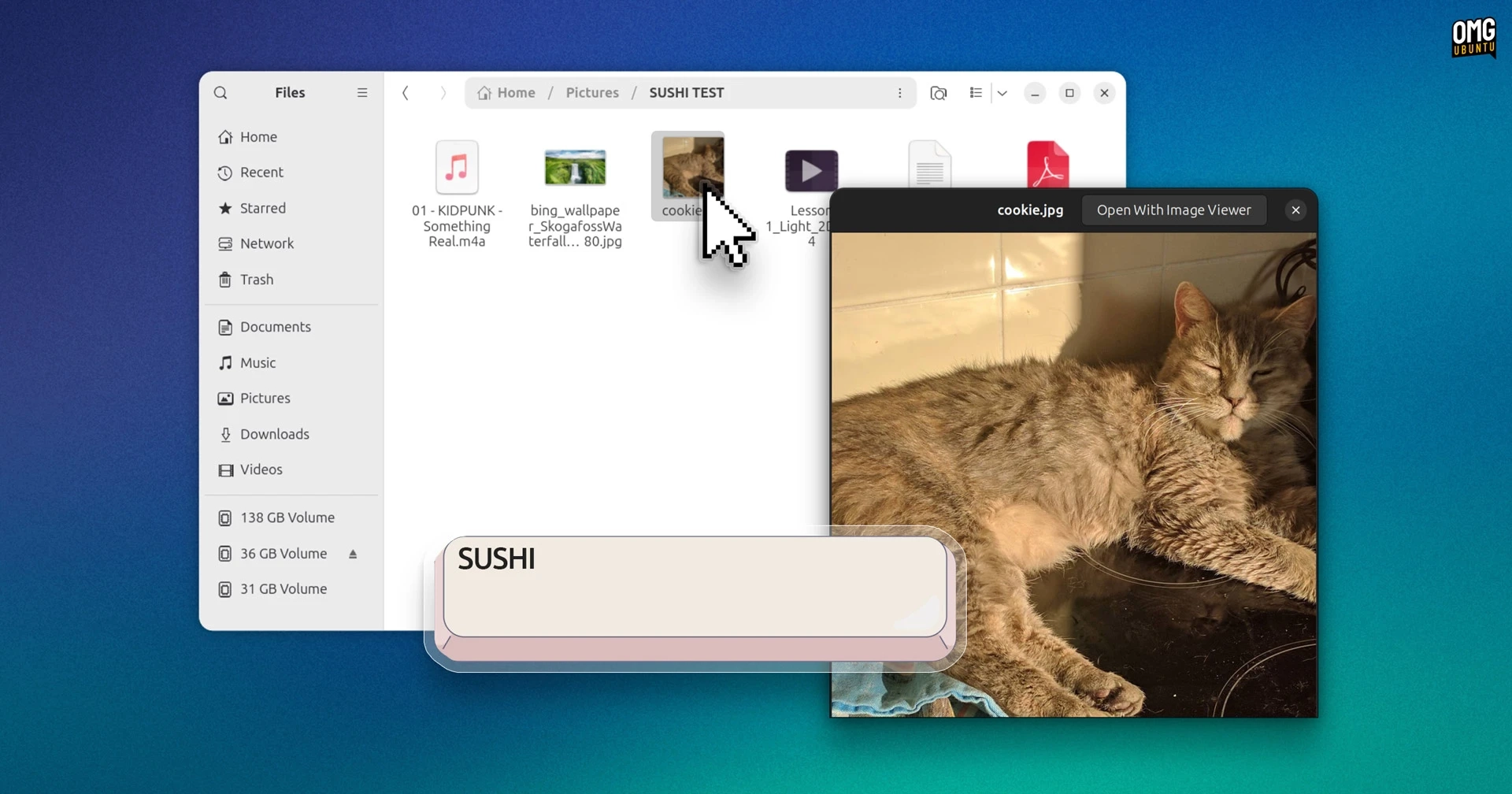
GNOME Sushi, a file preview tool similar to macOS’s Quick Look, is set for a fix in Ubuntu 26.04. Users can activate Sushi by selecting a file in Nautilus and pressing the spacebar, which brings up a floating preview window for images, videos, audio files, PDFs, and text files.
This tool, while not preinstalled with Ubuntu, is popular among users for its utility in navigating folders cluttered with similar files. However, those who upgraded from Ubuntu 25.10 or performed a clean install of 26.04 found that the tool wasn’t functioning. The reason for this issue relates to a missing extension for the newer version of Nautilus included with Ubuntu 26.04.
A bug report highlighted this setback, emphasizing that the inability to preview files with the spacebar undermines the functionality of GNOME Sushi. Fortunately, a patch is being developed to resolve this issue and ensure compatibility with Nautilus 50.
The updated Sushi is currently being tested in Ubuntu’s proposed channel and will soon be available through regular updates. Users can install it with the command:
sudo apt install gnome-sushiFor those who have already installed Sushi, the fix will be automatically included in a standard system update, so users need only run the Software Updater to receive it.