GNOME Sushi Receives a GTK4 Overhaul: Explore the Exciting New Features!
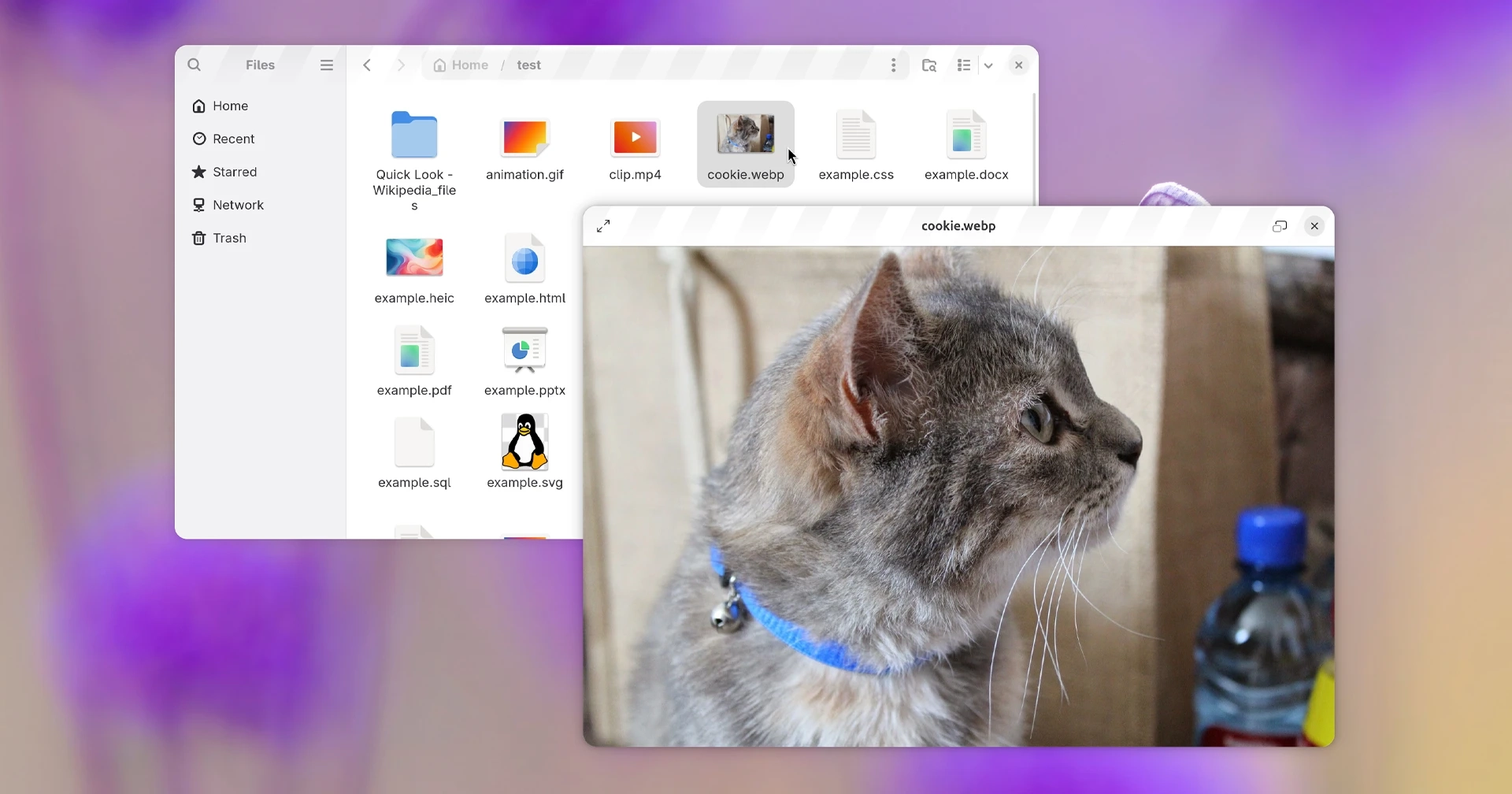
Sushi, the preview utility for the Nautilus file manager, has undergone a significant upgrade with its latest GTK4 revamp in GNOME 51. Similar to macOS’s Quick Look, Sushi allows users to highlight a file and press the spacebar for an instant preview of various file types, including images, music, videos, and documents.
The GTK4 port enhances the visual aesthetics of Sushi, offering a flatter header and overlay controls that allow media content to bleed through from beneath. The application now respects light and dark mode preferences and adapts window sizing when cycling through files, improving user experience significantly. This is particularly beneficial for those previewing images of varying sizes, as previous versions did not adjust the preview size to match the current file.
Furthermore, the latest version introduces new keyboard shortcuts, such as F2 for renaming a previewed file, Del for moving it to the trash, and enhanced controls for media playback with P to pause or resume. HTML file previews now allow for loading remote content, and right-clicking on URLs in an HTML preview opens them in the default web browser.
Sushi can now also display animated GIFs and TIFF images effectively, along with various other features like line wrapping in the text viewer and improvements in video previews. Users can enter or exit fullscreen mode by double-clicking the preview area, and an animated spinner will indicate loading times for previews.
Peter Eisenmann, the maintenance lead from the Nautilus team, along with his team, has successfully modernized the application’s functionality and codebase. Sushi was initially contemplated for inclusion in Ubuntu’s default install in 2017 but was never implemented. The release for Sushi v51 is set for September, aligning with GNOME 51’s stable release.
Those eager to try out the new features can access a development build through the GNOME Nightly Flatpak repo, keeping in mind the necessary runtime and version dependencies.