Running Android Apps on Ubuntu Is Now Surprisingly Easy
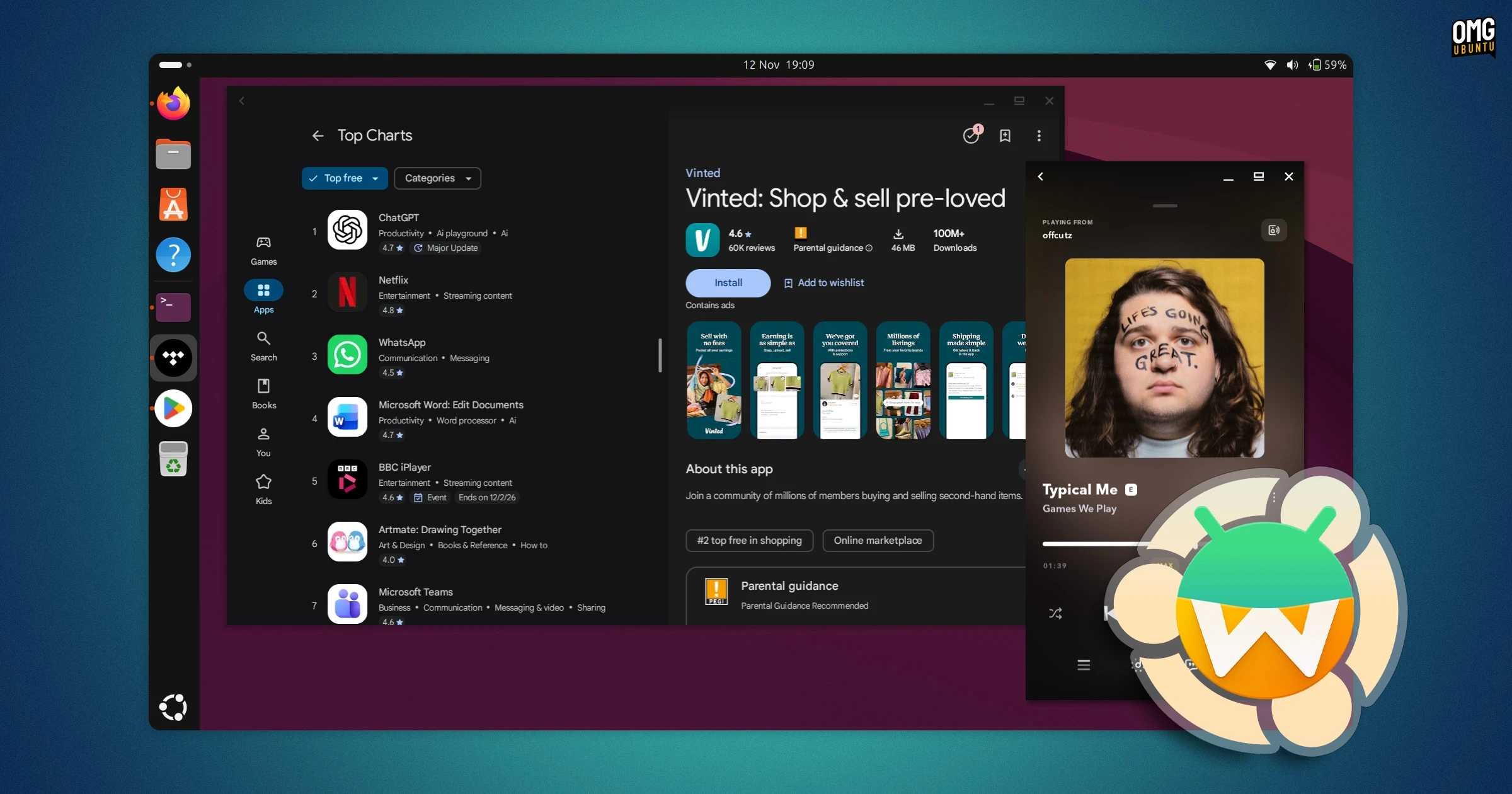
Ubuntu does not run Android apps natively, but Waydroid makes it possible to use them alongside Linux applications. It runs Android in a container rather than a virtual machine, which reduces overhead and lets apps integrate with the desktop.
Since Waydroid was added to Debian’s archives, installing it on Ubuntu 26.04 LTS and later is straightforward:
sudo apt install waydroidLaunch Waydroid from the applications grid and follow the setup wizard to download an Android image. Choose the image with Google Apps if you want access to Google Play. Once setup is complete, sign in with a Google account and Android app shortcuts will appear in the desktop’s application grid.
Clipboard sharing works in both directions, and Android notifications appear in GNOME. Hardware support can vary, however, and some features—such as Bluetooth gamepad input—may not work as expected. The Android image download is around 1.1GB; with a few apps installed, the total storage used was about 4GB.
Adjusting Waydroid
Some settings require terminal commands. For example, reduce the display scale with:
sudo waydroid prop set persist.waydroid.dpi 180To display Android apps in separate desktop windows with borders and controls, enable multi-window mode:
sudo waydroid prop set persist.waydroid.multi_windows trueRestart the Waydroid session for changes to take effect. You can stop it from the context menu opened by right-clicking its icon.
The on-screen keyboard can also be disabled in Android under Settings > System > Languages & input > Physical keyboard. For easier file transfers between Android and Ubuntu, Waydroid’s shared-folder instructions may be useful.
Performance and limitations
Waydroid’s performance is generally better than a virtual machine’s because it has less overhead. On an AMD laptop, the Android interface and apps ran smoothly, and several games worked well with sound. A racing game occasionally showed screen tearing and dropped frames.
GPU acceleration works out of the box with Intel and AMD graphics. NVIDIA users may need to use software rendering. Performance also depends on the computer’s hardware and what else is running, since Android and Ubuntu share system resources.
Many Android apps are designed for touchscreens, so using them with a mouse can feel awkward. Mouse clicks and dragging may take some adjustment.
One important detail: closing Android apps does not stop Waydroid. Its services continue running in the background, using system resources and draining battery. When you’re finished, explicitly choose Stop Waydroid from the app’s context menu.
For occasional Android app use, Waydroid offers a relatively simple setup, desktop notifications and windowed apps. It’s not perfect, but it can be a practical way to bring Android apps to a Wayland-based Ubuntu desktop.