Enhance Your Ubuntu Desktop: A Guide to Adding Multiple Picture Widgets
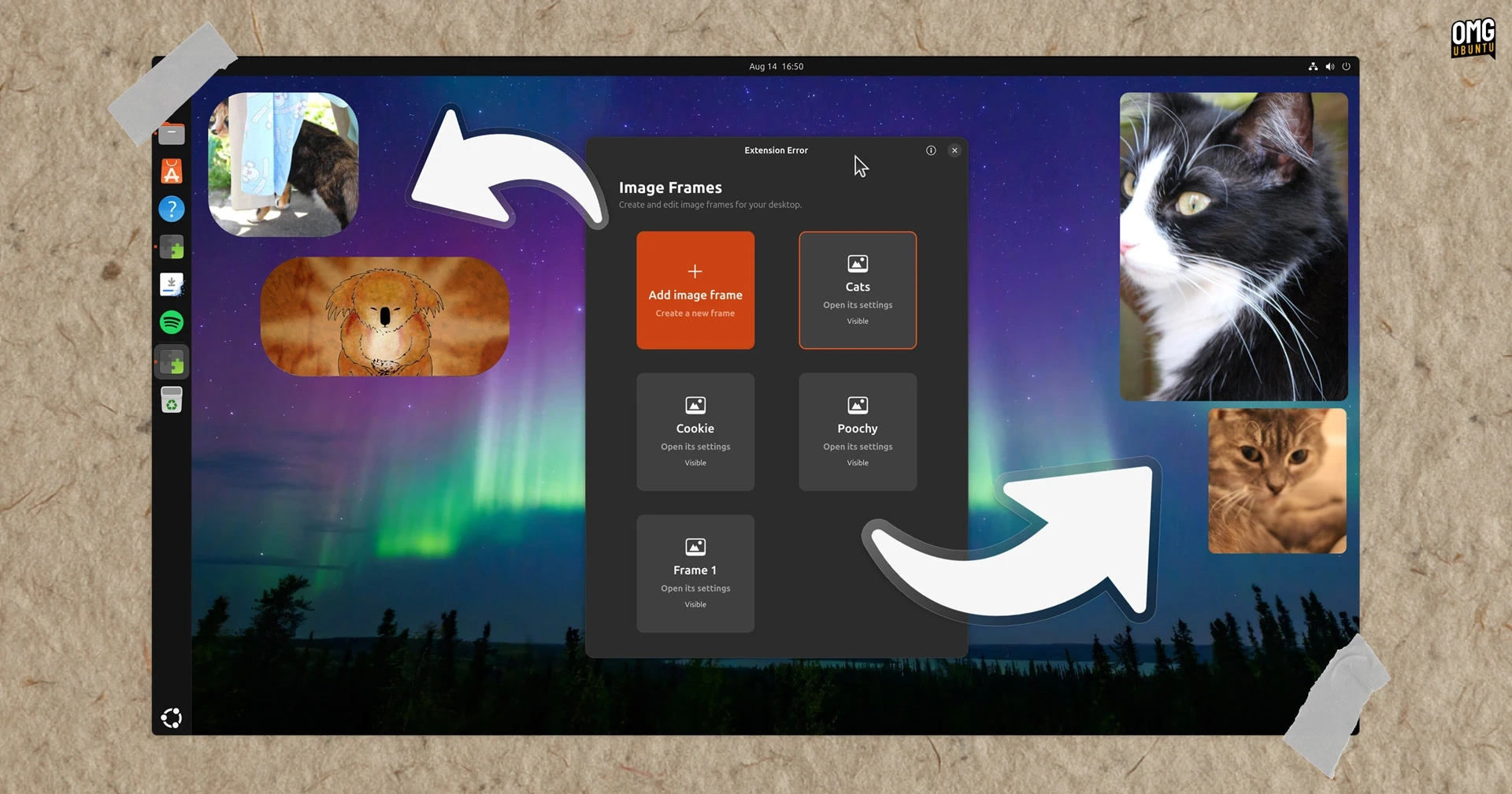
If you found the previous desktop picture widget for GNOME lacking in personalization, you’re not alone. A user took it upon themselves to fork the original project and create the Picture Desktop Widget Remake, enhancing its capabilities significantly.
This updated version expands on the original by allowing multiple picture widgets to be added to your Ubuntu desktop. Each widget can pull images from different folders, presenting them randomly. Users can customize the size, position, border radius, and aspect ratio of each widget individually. Additionally, each frame includes an on/off toggle in the Preferences section, so they can be hidden without needing to be deleted.
As someone who enjoys adding decor to their desktop, I found this tool useful, even if it does have some quirks. Initially, while editing a new widget, images were often duplicated across the existing widgets despite having different folders assigned. The only fix was to deactivate and then reactivate the entire extension.
There are limitations as well; for instance, you cannot set a single static image or disable the refresh feature, which can be frustrating. Moreover, if you’re adjusting the aspect ratio of a frame, it awkwardly crops images, affecting how they display.
One of the more significant drawbacks is the inability to drag these widgets around the desktop. You need to manually position them, which can be cumbersome.
Nonetheless, this extension has minimal impact on memory usage, although exact usage is hard to measure per individual GNOME Shell extension.
If the challenges described haven’t deterred you, and you wish to embellish your workspace, you can find Picture Desktop Widget Remake on GNOME Extensions or access the source code on GitHub. It is compatible with GNOME versions from 46 (Ubuntu 24.04) to 50 (Ubuntu 26.04).
This is just one of many extensions for GNOME Shell, with other customizable options like the Desktop Clock widget available for further enhancement of your desktop experience.