How to Easily Enable Ubuntu Pro in Security Center for Enhanced Protection
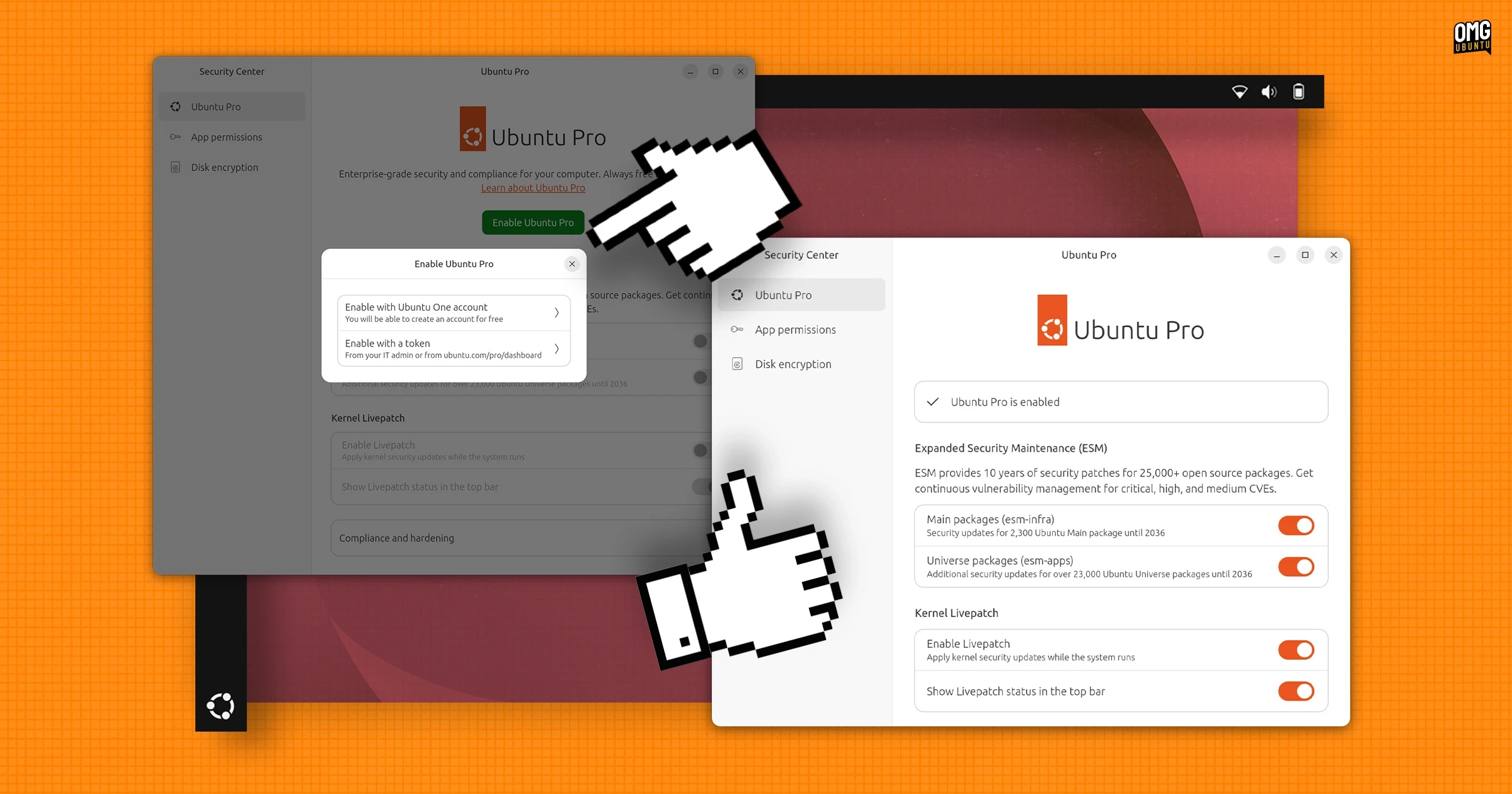
Ubuntu 26.04 LTS has transitioned from the traditional Software & Updates utility to incorporate Ubuntu Pro settings directly into the Security Center. This shift improves the setup experience, leading to a more user-friendly interface. The options available now mirror those previously found in the Software & Updates > Ubuntu Pro tab but are presented with clearer explanations and a less cramped layout.
To enable Ubuntu Pro, users simply need to click on the large green ‘enable Ubuntu Pro’ button and log into their Ubuntu One account via a web browser. For those without an account, signing up is straightforward. It’s worth noting that Ubuntu Pro is free for personal use on up to five devices, while businesses must subscribe for broader use.
Once activated, users can access multiple toggles within the Security Center > Ubuntu Pro section. These include controls for Extended Security Maintenance (ESM), which provides security updates for a significant number of packages, and kernel live-patching, allowing for security patches without rebooting.
Interestingly, this new enrollment flow is compatible with Ubuntu 24.04 LTS, though users will need to install Security Center from the Snap Store since it was only added to default installations in Ubuntu 25.04. The Software & Updates utility remains available, meaning users can choose their preferred method for managing updates.
For those using command-line interfaces, such as Ubuntu Server, the setup process for Ubuntu Pro remains unchanged and can still be executed with the pro status command.
If users encounter a “Not available for this version – requires LTS release” error when accessing the Ubuntu Pro section in the Security Center of Ubuntu 26.04 LTS, there’s no need for concern. Running the command sudo snap connect desktop-security-center:system-observe in the terminal resolves this issue, allowing users to proceed with enrolling their devices properly.
With this update, Canonical is taking steps to enhance the Security Center by adding features that streamline security management. It’s hoped that more improvements will follow in subsequent releases, such as simplifying the management of Ubuntu’s default firewall settings. The flexibility of Security Center as a snap ensures that new features can be made available to both newer and older Ubuntu versions.