Introducing Dynamic Music Pill: Experience Word-by-Word Lyrics Highlighting!
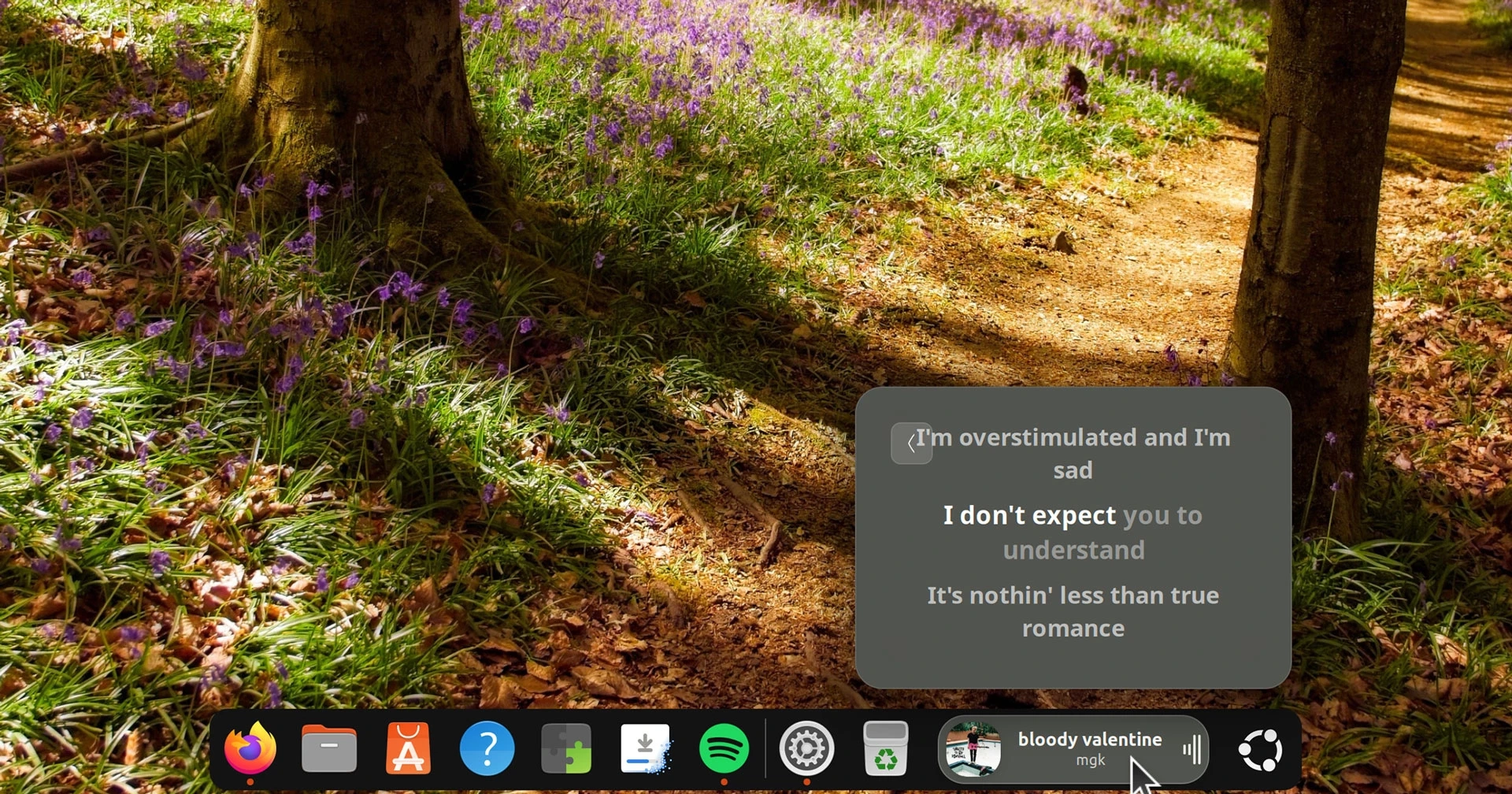
An updated version of Dynamic Music Pill, a GNOME Shell extension designed to enhance your music listening experience by displaying current track information and lyrics, has been released. Version 1.3.0 introduces new APIs, BetterLyrics and BiniLyrics, which allow for karaoke-style highlighting of lyrics word-by-word using TTML parsing.
This new feature enables the applet to show word-level synced lyrics directly in the controller or the dock/panel, depending on how the user has configured it. If the currently playing track has synced lyrics, users can activate the ‘word-level karaoke in pill’ toggle to enjoy a more engaging experience. However, if word-by-word lyrics are unavailable, the extension will fall back to either line-by-line synced or static lyrics.
Aside from the new lyrics functionality, the update includes several quality-of-life improvements. Users can now select whether to adjust the volume of the active media player or the overall system volume using their mouse wheel over the pill. Additionally, those who prefer a flatter look can disable the shadow beneath the album art in the popover.
A bug that previously caused a click on the progress bar to revert to the start of a track has also been addressed.
Dynamic Music Pill v1.3.0 is currently available for download on GitHub and will soon be accessible on GNOME Extensions after passing review. The extension works on GNOME 46 (Ubuntu 24.04 LTS) and later versions, requiring GNOME 50 (Ubuntu 26.04 LTS) for the latest release. Users looking to explore and manage their GNOME Extensions can use the Extensions Manager, which can be installed from the Ubuntu repositories or Flathub.
For those interested in customizing their audio experience, Dynamic Music Pill offers a variety of settings, including visualizer styles, background colors, and animated cover art. You can get Dynamic Music Pill from GNOME Extensions.