Shader Effects: The Coolest GNOME Extension to Try This Weekend
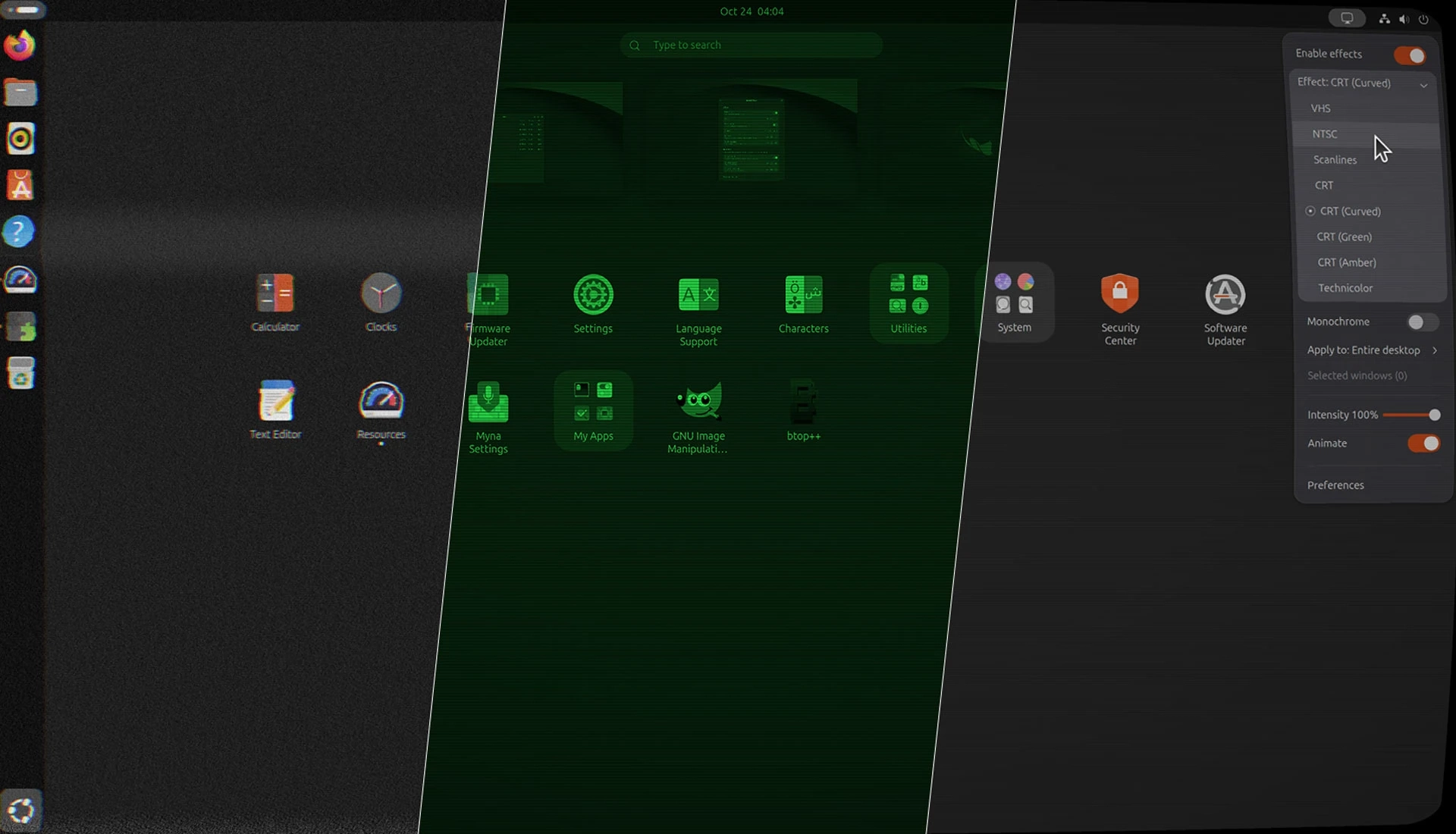
Ever wondered what your Ubuntu desktop would look like through a worn VHS tape or an old CRT monitor? The Shader Effects GNOME extension lets you try it out, applying GPU-accelerated filters across your desktop or to selected windows.
Available effects include VHS, NTSC, scanlines, Technicolor, and several CRT styles—including curved, green and amber variants. You can also apply a monochrome toggle. The extension’s settings let you adjust effect intensity, animation speed and frame rate, though more demanding settings may use more GPU power.
You can switch effects on or off from the panel and choose which app windows receive them. Applying a shader to a terminal running text-based apps, for example, can give it a retro look. The extension doesn’t let you stack multiple shaders, however.
It’s more for fun than productivity, and some effects may be uncomfortable to leave on for long periods. But they can make screenshots and screen recordings more visually distinctive.
Shader Effects supports GNOME 48–51, including Ubuntu 26.04 LTS and newer.