Ubuntu 26.10 Introduces Windows-Style Window Snapping Panel for Enhanced User Experience
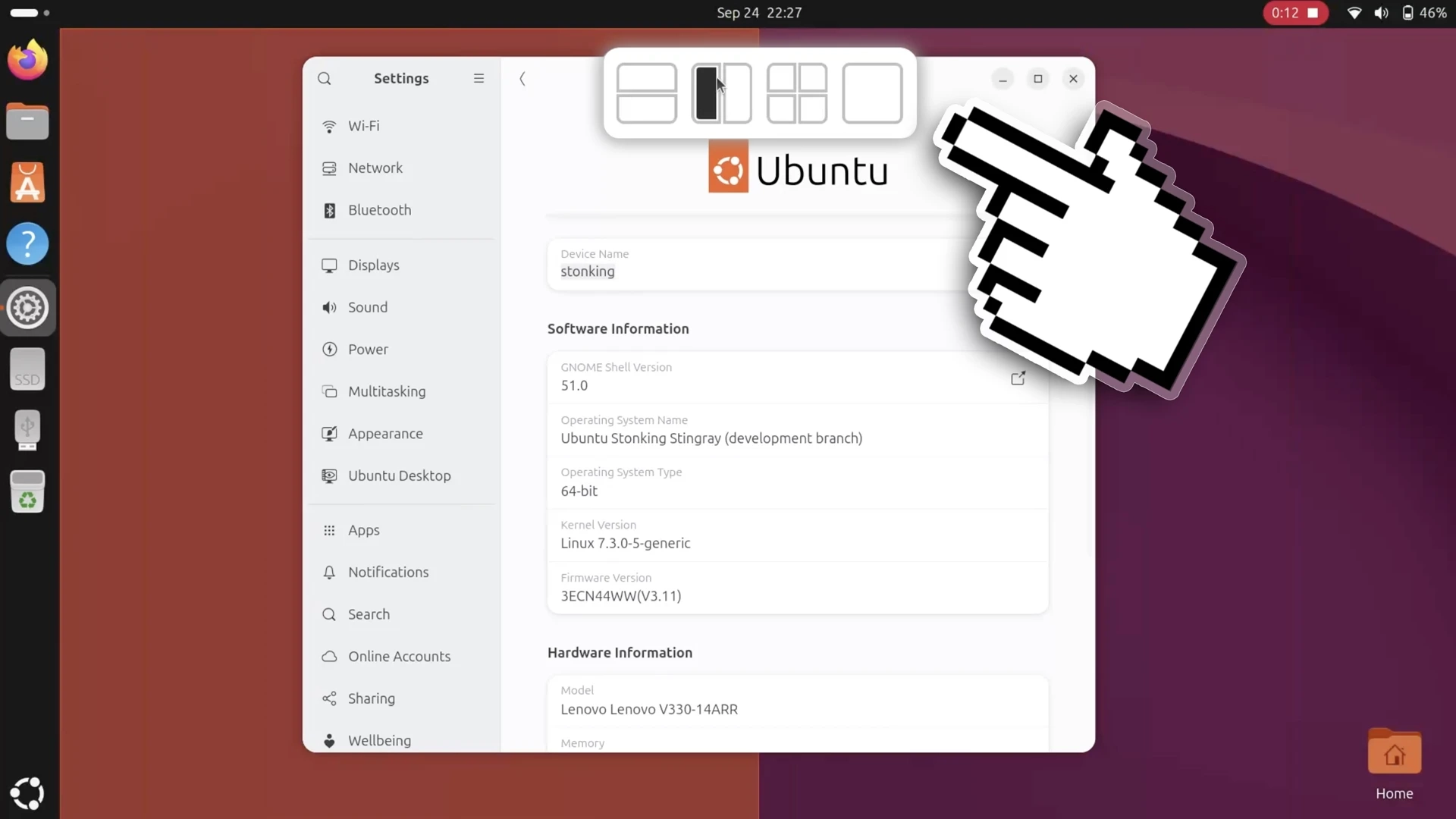
Ubuntu 26.10 has introduced a new window tiling feature, which enhances the way users can manage their app windows. This feature presents a layout picker that appears at the top of the screen when a window is dragged. This "dropzone" concept is reminiscent of the functionality available in Windows 11 and the Tiling Shell extension for GNOME, allowing users to easily snap windows into preset layouts.
When a user drags a window upwards toward the picker, they can see a ghost preview of where the window will snap into place. Once dropped, the Tiling Assistant suggests other windows that can fill adjacent spaces, optimizing multitasking by efficiently arranging the workspace.
The layouts available through the picker are consistent with those established through edge-snapping, although users cannot customize or create new layouts as they can in Tiling Shell. This limitation is intended to simplify the feature’s usage. Interestingly, the addition of this layout picker came late in the development cycle for the Stonking Stingray release, indicating a push for this functionality despite a user-interface freeze that typically limits major updates.
Feedback from initial testing noted the absence of an option to disable the layout picker through the standard Settings > Ubuntu Desktop, which might appeal to users who find it visually distracting. However, it can be turned off via the extension’s settings, accessible through third-party tools like the Extensions Manager desktop app.
This update is a significant step forward for Ubuntu users, particularly since it enhances multi-tasking capabilities by offering improved window organization, despite the existing limitations on layout customization.
For more details, visit: Ubuntu 26.10 and tiling.